Explore the features

Your photos.
Your workflow.

From an edited Lightroom photo to an evening with family: Instante connects your collection, your devices and your own storage.

Get the server
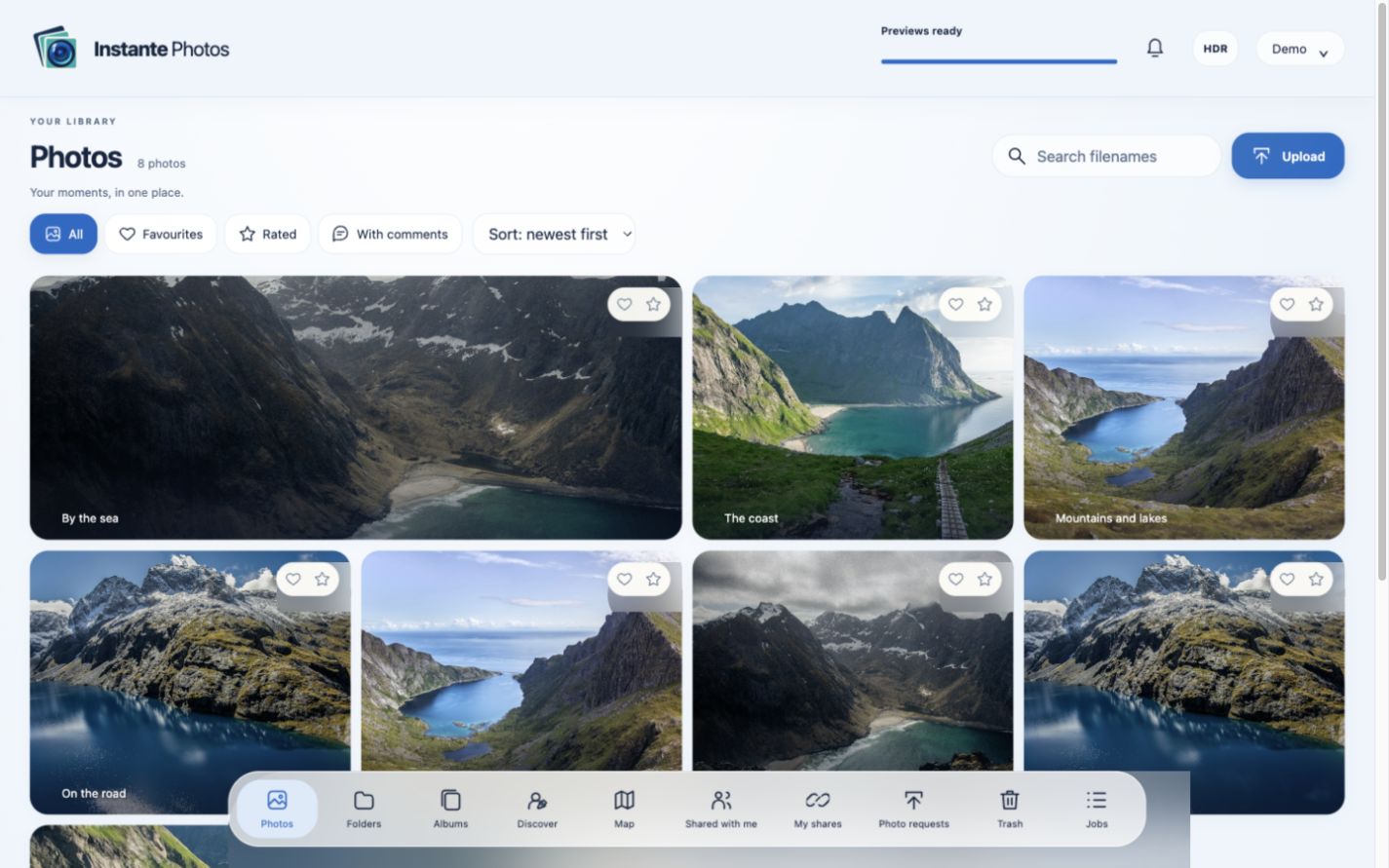
Instante Photos library in the browser
Your library in the browser. On your own server.

Lightroom belongs here

Our own plugins for transfer and managed publishing, with export profiles for individual folders.

Room for HDR

AVIF, JPEG with a gain map and suitable HDR or SDR display on supported devices.

Your Mac. Your storage.

Store originals and working files separately on local drives or mounted SMB shares.

Backup is built in

Encrypted full backups include originals and server state, with restoration on another Mac.

One path from editing to enjoying your photos.

  1. 01

    Edit

    Work in Lightroom and choose the export profile for each folder.

  2. 02

    Publish

    Instante receives the finished images and keeps their identity when you publish again.

  3. 03

    Enjoy and share

    Use the browser and apps, create albums and share selected photos.

Made for your photography workflow.

Publish developed images and update them without starting over.

Two Lightroom plugins
Transfer for sending files; Publish for a collection with lasting server associations.
Profiles for each folder
Original, JPEG or AVIF, size, quality, metadata and HDR. Inherit profiles or save reusable templates.
Update the same images
Publishing again retains the server image ID, preserving its album and share associations.
Preserve HDR deliberately
Export HDR-edited photos as HDR AVIF or JPEG with a gain map. Display depends on both the image and the output device.

A collection you can find your way around.

Keep your folder organization and add new ways to explore.

Folders, timeline and albums
Manual albums, albums kept in sync with folders and smart albums based on filters.
People, pets and keywords
Local recognition, keyword filters and a pending-suggestions workspace. Merge keywords and link them to confirmed people or pets.
Places and travel map
A fixed map shows the countries and cities you have visited with red pins. Open a country, then a city and its photos using either the pins or the places list.
Favorites, stars and duplicates
Rate photos, use keywords and review exact or visually similar duplicates.

For wherever you are. And whoever matters.

Your collection stays with you while selected images become accessible.

Browser and native apps
Access through the browser and our apps for iPhone, iPad, Android and Apple TV.
Back up phone photos
Automatic photo backup with a chosen destination, resumable transfers and verification.
Sharing with suitable permissions
Share albums, folders or selected photos by link or with other accounts. Set passwords, expiry and download rights.
Multiple events, one link
Share several albums, folders and photo selections as one collection. Recipients browse individual events and their shared subfolders.
Shares by recipient
Manage account grants for one person together. Other recipients and public links keep their own permissions.
Collect and respond together
Photo request links, comments, favorites and star ratings bring contributions and feedback together.
Original or optimized video
Keep originals and use smaller playback copies for limited connections.

Keep your server in your hands.

Administration and backup are part of the system.

Native Mac administration
Set up storage, users, processing and updates in one interface.
Separate iPhone administration
The AdminTool app uses distinct administrator permissions and revocable device pairing.
Encryption and complete backup
Optional encryption for stored media, plus encrypted, versioned full backups with integrity verification.
Protected sign-in
Passwords, two-factor authentication, passkeys and device pairing with appropriate permissions.
Optional server assistant
An assistant can help with diagnosis and administration. Local photo recognition works independently.

A few things to know before you start.

A Mac runs the server

Instante Photo Server requires macOS 14 or later. Originals and working files can also be stored on a mounted NAS.

HDR needs a compatible chain

HDR previews require macOS 15 or later and suitable images, browsers and displays. Results depend on that combination.

Your accounts and applications

Instante is free. Lightroom is required separately. The optional ChatGPT assistant uses its own sign-in; messages and requested diagnostic information are sent to OpenAI.